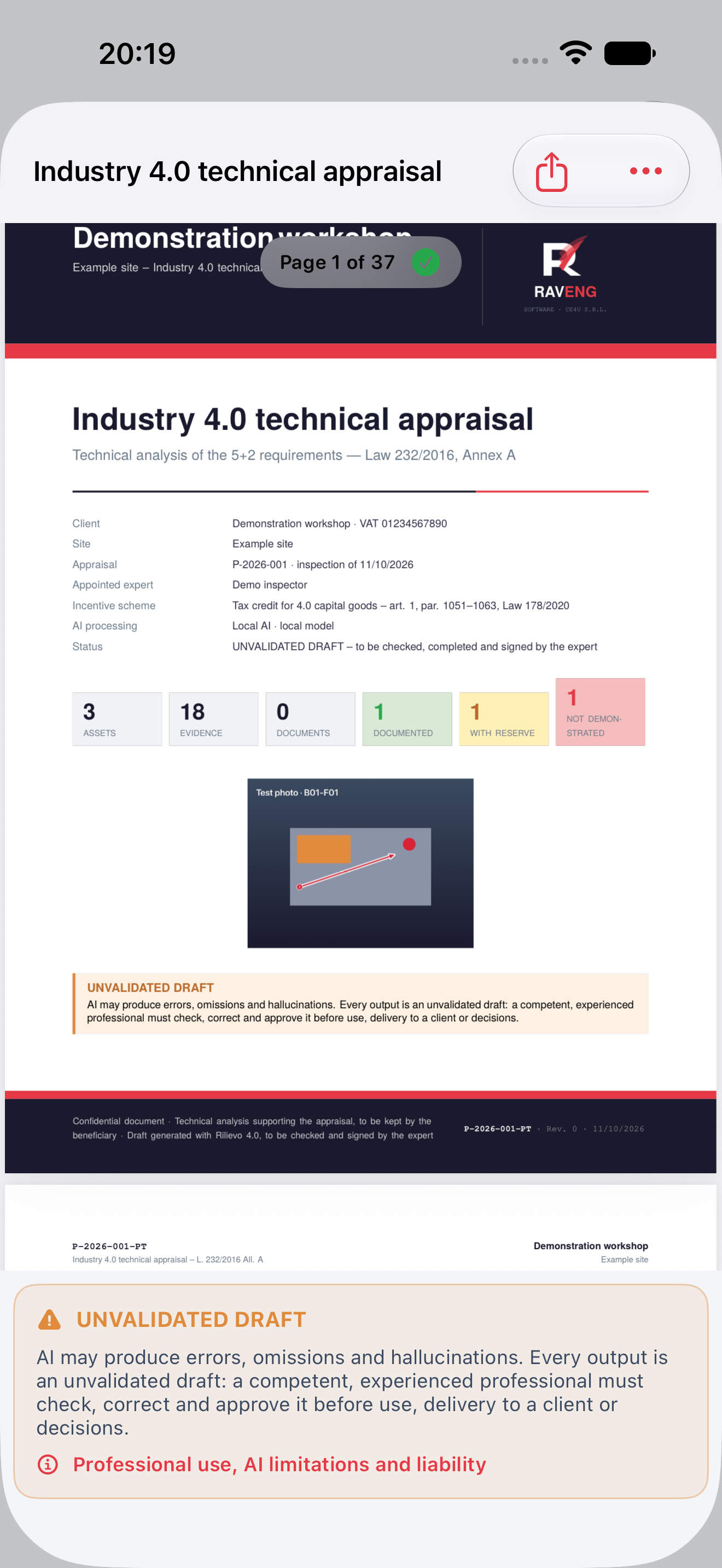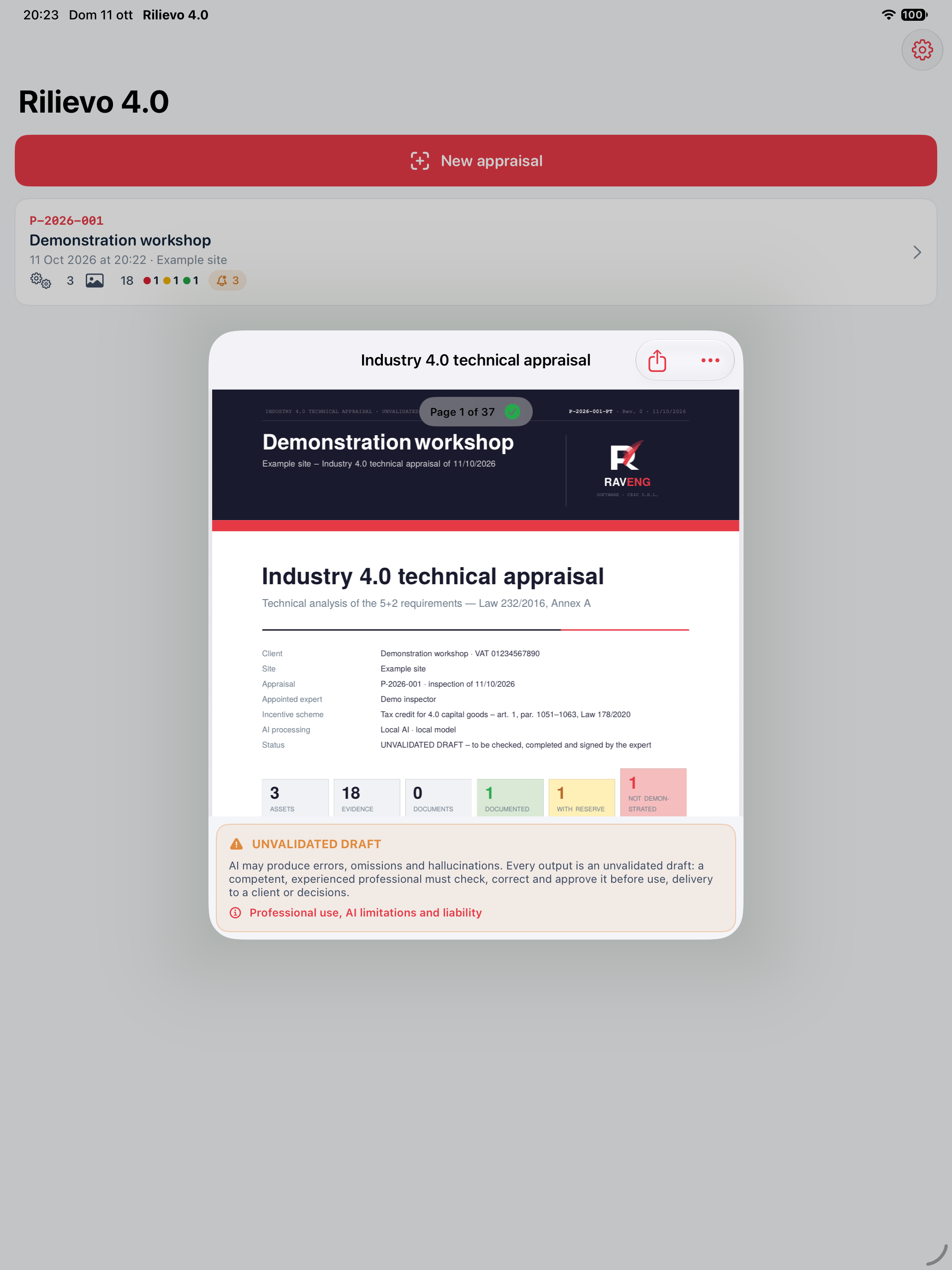
Updated edition, 11 October 2026. Rilievo 4.0 is a distinct app from Rilievo for CE inspections: it organises asset records and prepares Industry 4.0 technical appraisal drafts. The apps have separate local data and subscriptions.
1 From an appraisal to each asset
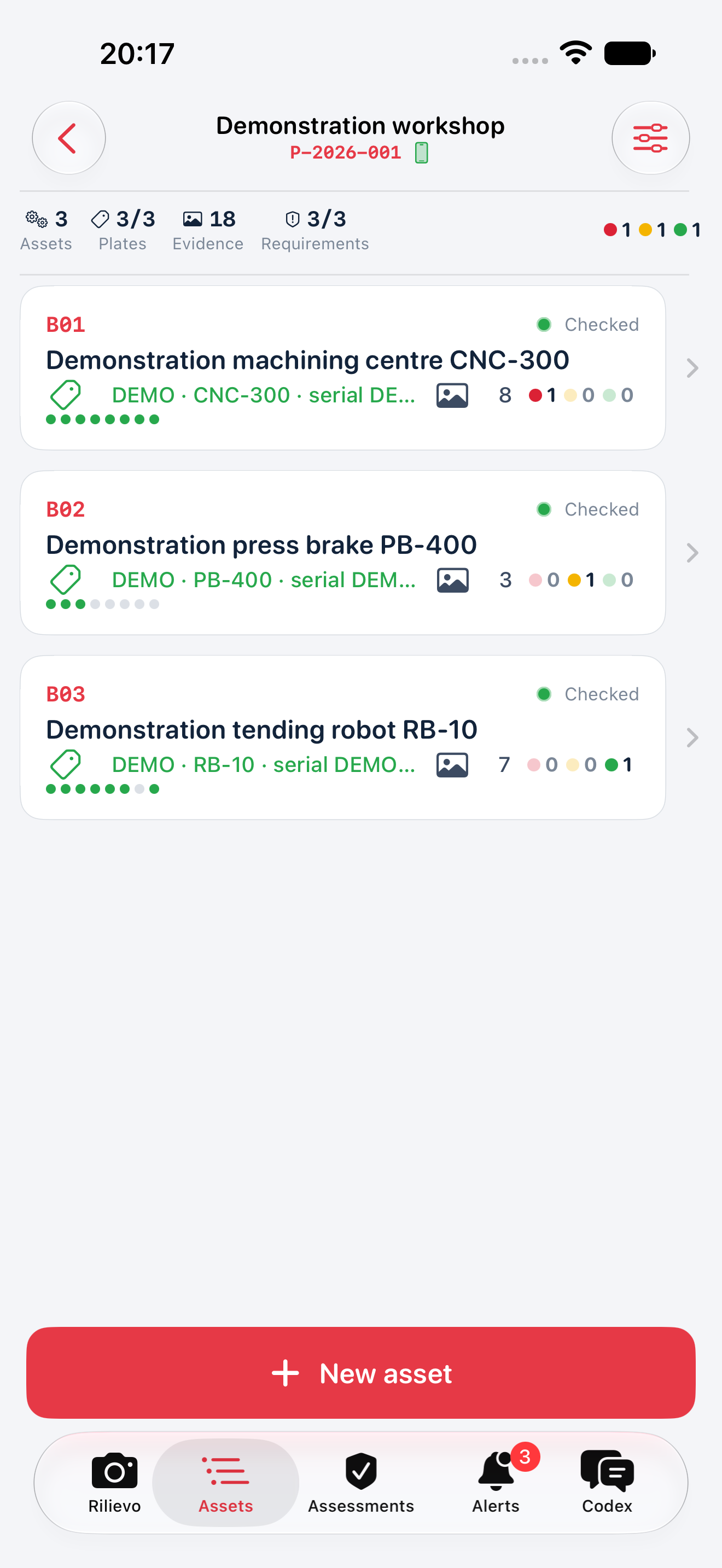
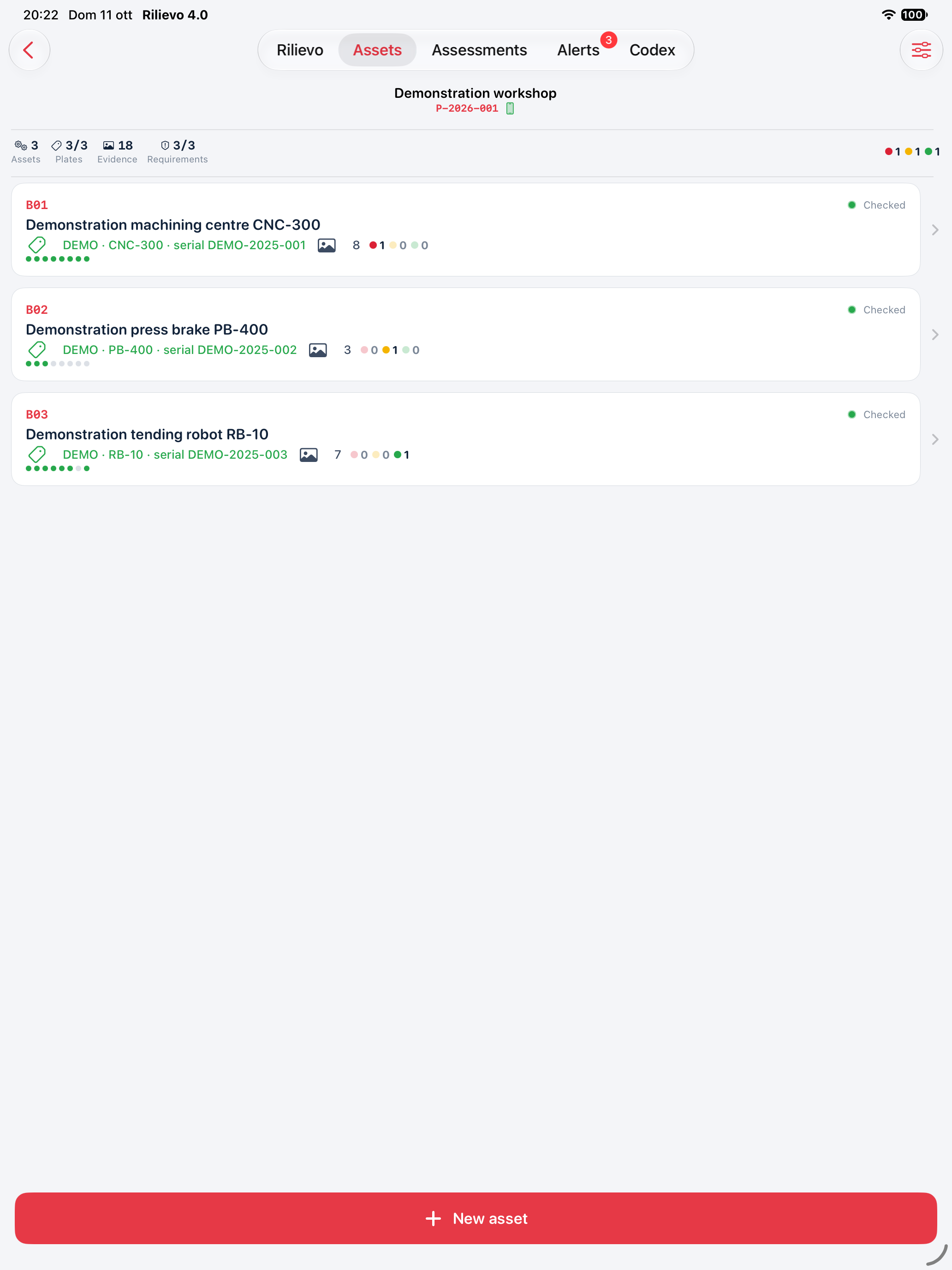
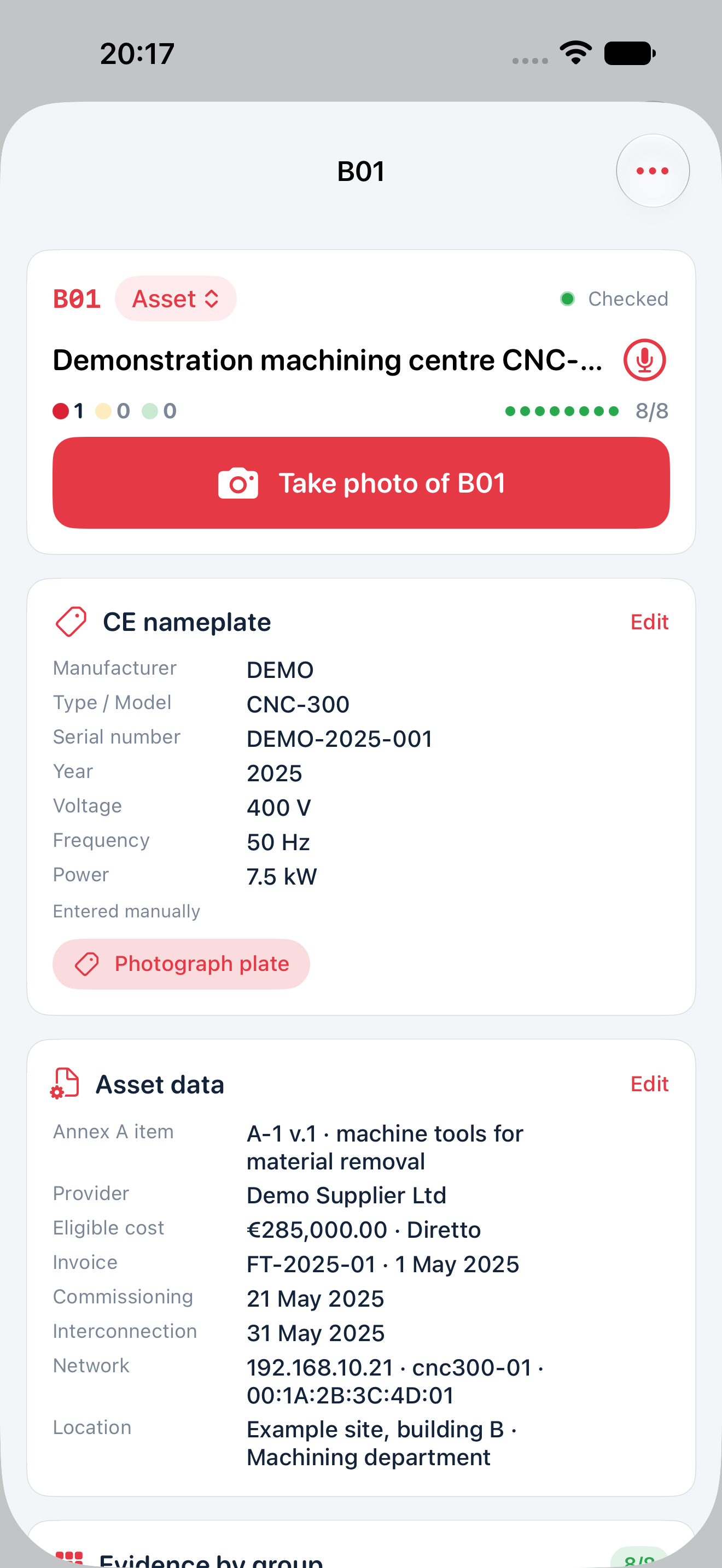
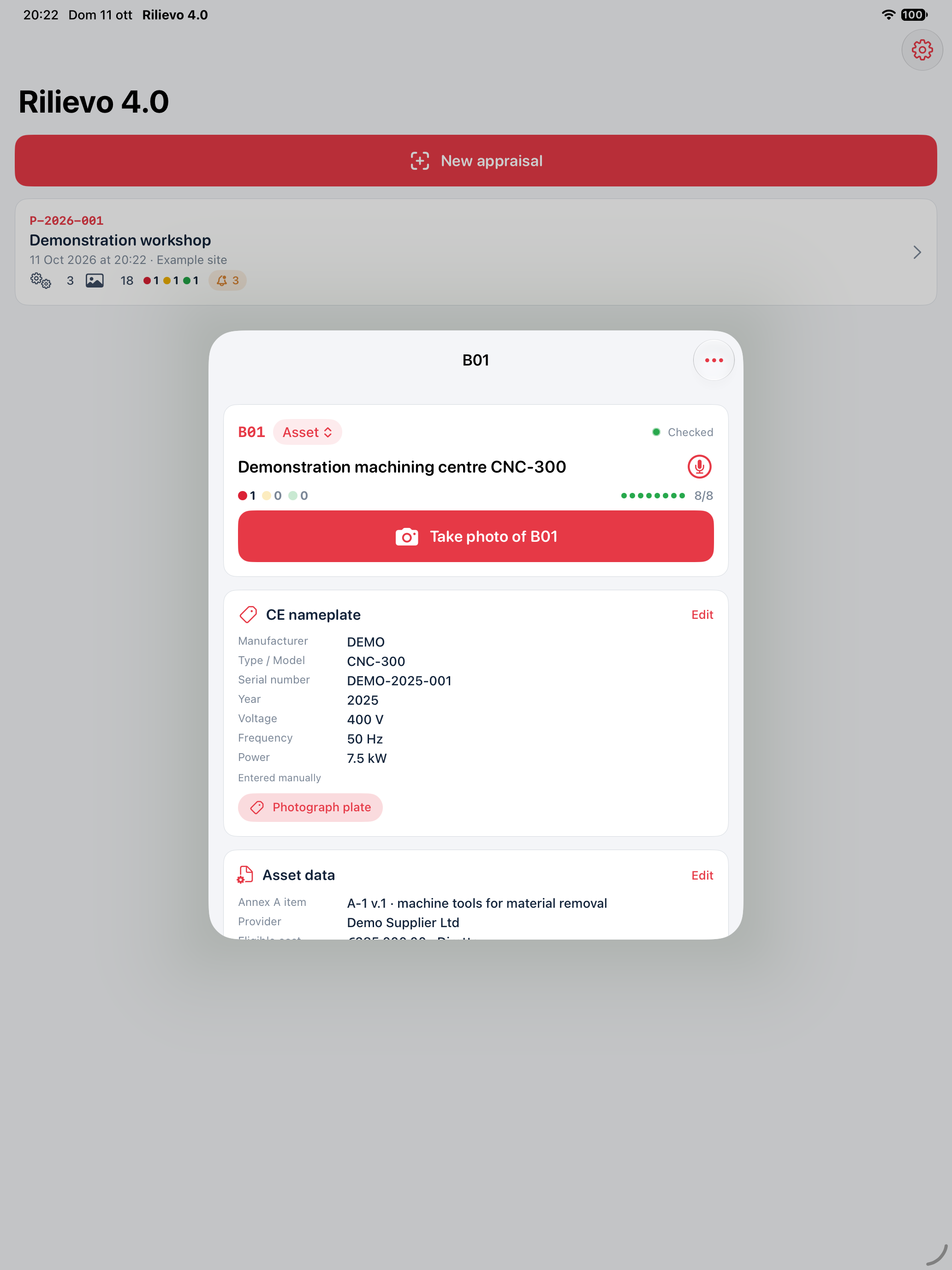
Create an appraisal, identify the client and inspection location, then add assets and any components. The record contains the appointed professional, legal representative, registered office, tax/VAT details, date, selected scheme and engagement notes. Each asset can record manufacturer, model, serial number, supplier, order, invoice, purchase method, cost and delivery, commissioning and interconnection dates.
The professional must compare entered information with the original documents. A cost recorded in a field does not automatically become an eligible cost; the app does not verify payments, ownership, cumulation rules, deadlines or available funding.
2 Nine evidence groups
| Group | Material to collect | Documentary purpose |
|---|---|---|
| 1 Asset | Overall view and location in the department | Link the real asset to its record |
| 2 Plate | Manufacturer, model, serial number, year | Identification and documentary checks |
| 3 PLC/CNC | Controller, model, version | Document the control system |
| 4 HMI | Status pages, recipes, commands and alarms | Document the operator interface |
| 5 Interconnection | Network identity and actual exchanges with date/time | Document O2 for the specific case |
| 6 Integration | Exchanges with ERP/MES, logistics or other assets | Document the relevant O3 requirement |
| 7 Remote control | Remote maintenance, diagnostics or control | Evidence for additional requirement RU-a |
| 8 Monitoring | Sensors, parameters, thresholds, adaptation | Evidence for additional requirement RU-b |
| 9 Cyber-physical | Simulation or integration with a model | Evidence for additional requirement RU-c where relevant |
Scans, manuals, contracts, invoices and declarations can also be retained as documents. The selected group remains active for subsequent photographs; check it before capture. You can change a photograph's group in its detail view. Numbered arrows and notes connect observations to precise image details.
Coverage does not establish sufficient proof. A photograph, full counter or readable plate does not establish a requirement by itself. Wi-Fi connectivity, a successful ping or an IP address does not replace verification of the required information exchange for the asset and applicable scheme.
Copies of captures in Photos
The option to copy camera captures into Photos is on by default and can be disabled in Settings > Camera and arrows > Photo Library. At the first capture with it enabled, the app requests full read/write permission to create or locate the Rilievo 4.0 album. With limited access a copy can be saved without that album; with denied or restricted access it remains only in the app. Check status and any error in settings: an attempted copy does not prove that Photos received the file.
The copy includes the captured image and capture date; when the appraisal has valid coordinates it may also include that location. Imported photographs and scanned documents are not automatically duplicated in Photos. If iCloud Photos is enabled, Apple may sync copies to your account and other devices. Deleting the appraisal does not remove the Photos/iCloud copy; check confidentiality and retention before capture. No automatic anonymisation is performed.
3 Documentary requirements review
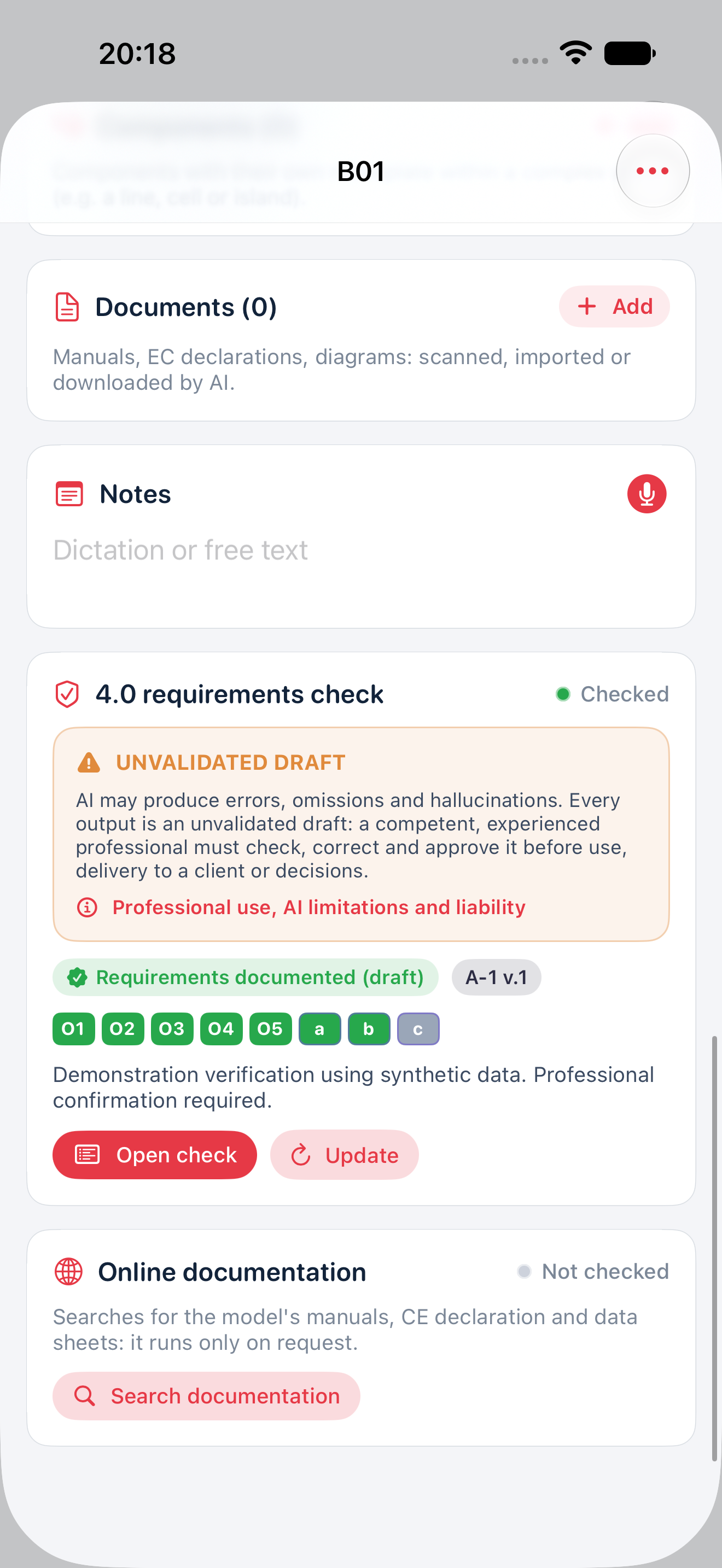
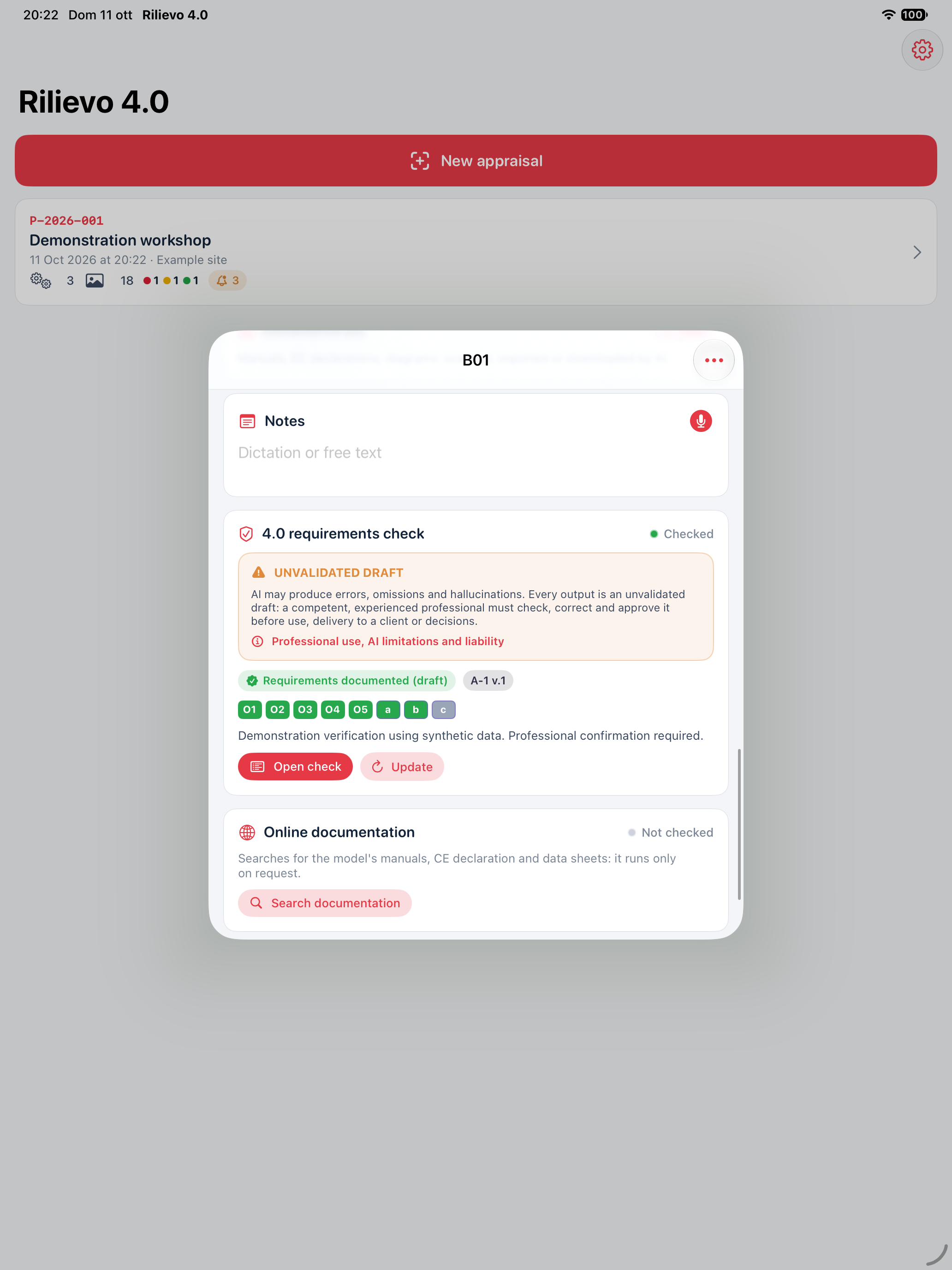
AI proposes a description, classification, requirement-by-requirement analysis, cited evidence, gaps and remaining actions. App rules produce a documentary summary of the draft; the professional also checks any discrepancy with the AI proposal.
The 5 mandatory plus at least 2 additional requirements method applies to group 1 assets in Annex A of Italian law 232/2016. Groups 2 and 3 require interconnection and the characteristics of the specific item to be checked; O2 alone does not establish classification. Intangible assets and Annex B are not automatically covered by the same method. A not-applicable status or incomplete classification requires further review and is not a favourable conclusion.
“Requirements documented (draft)”, “Evidence to complete”, “Requirements not demonstrated” and “Incomplete review” describe the available material. They do not establish tax eligibility or certification. See method and limitations.
4 Three AI routes, professional responsibility throughout
| Route | Requirements | Data and costs |
|---|---|---|
| Local AI | Compatible device and model, downloaded weights | Inference on the device; model download contacts the file provider |
| AI via token | API account and personal provider key | Direct API transfer; usage and research are charged separately by the provider |
| Codex Cloud | Dedicated private GitHub repository and connected Codex environment | Material in GitHub and OpenAI; accounts, limits and costs separate from the app |
Remote routes require the disclosure and explicit activation. The app does not automatically anonymise photographs, network screenshots, notes, documents or client details. Text-only models do not see photographs. Performance, availability and search tools depend on the device, model, account and provider. A connection test does not establish a complete asset analysis. Read privacy before enabling a route.
The automatic PR and @codex comment route requires the GitHub integration available in Codex Cloud (Legacy). A new Codex Cloud environment does not automatically enable that workflow. If your account service does not support that integration, follow the guide’s manual route: run the job in the available environment and return a conforming response.json file on the job branch. Always check that the correct response was imported into the app.
Essential or automatic AI
The default Essential mode keeps plate extraction and, when enabled, annotated-photo analysis. For these photos it waits at least 30 seconds after the latest change to the asset so you can finish arrows and notes first. This is not a promise of a result within 30 seconds. Asset review, document research and periodic alert reviews do not start on their own: use their dedicated commands. When you request the appraisal summary, the app first updates necessary reviews of the main assets. In Automatic mode, enabled analyses can also start without a new request; check settings, the queue and usage before changing modes.
API usage, prices and Ultrafast
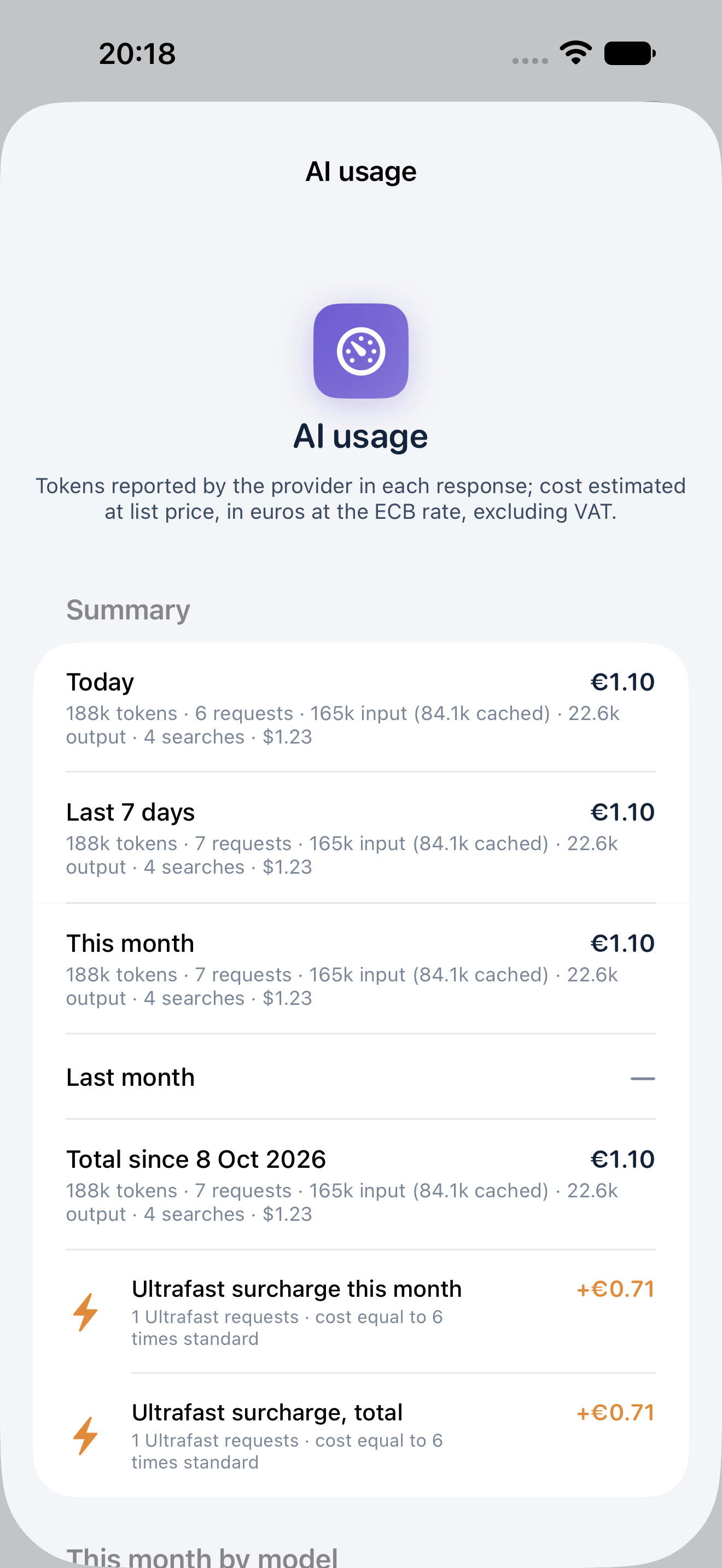
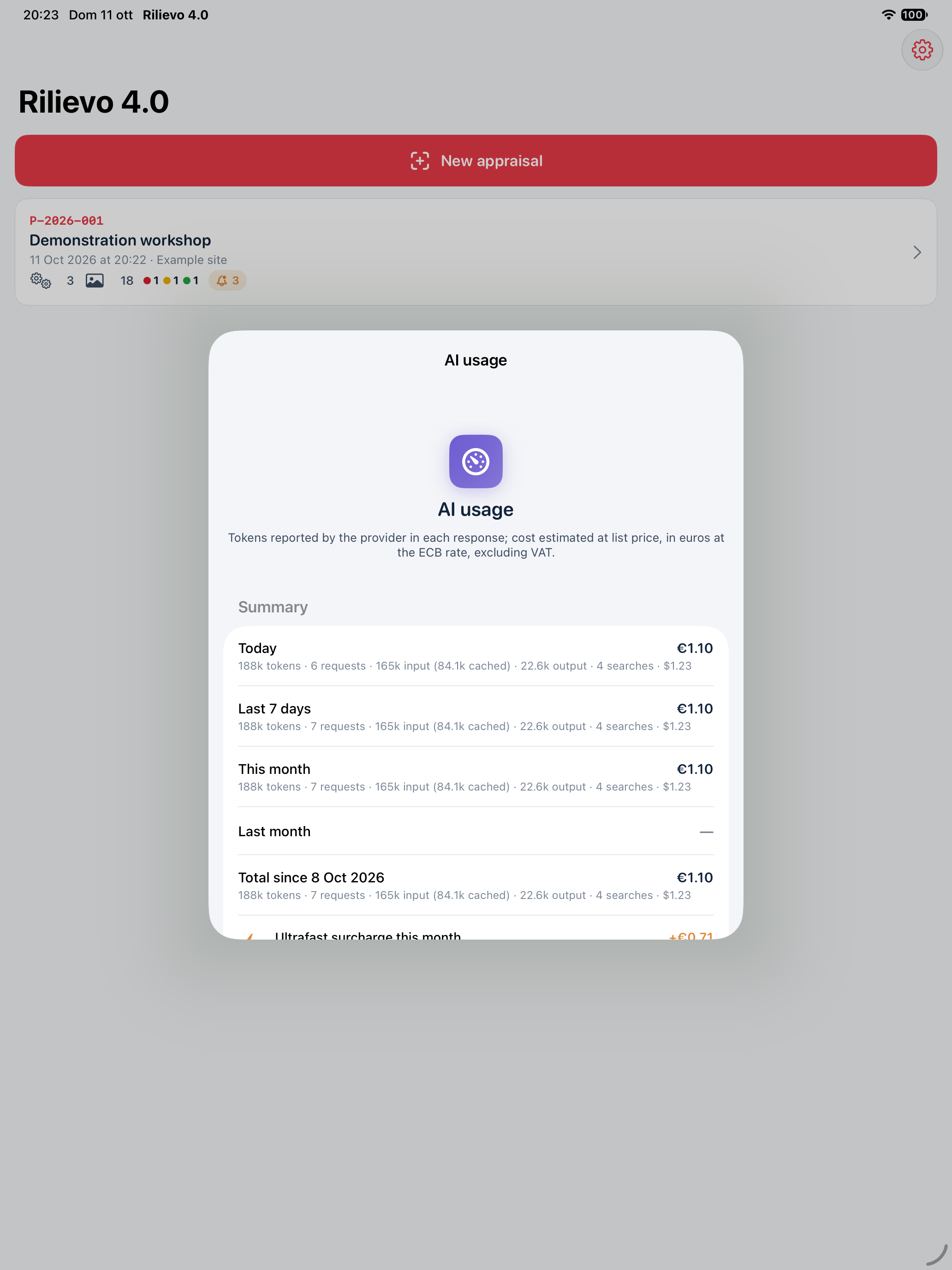
AI Usage keeps an on-device record of API calls: provider, model, analysis type, date, appraisal/asset code, any client name, input, cache, cache-write and output tokens, searches and service tier. It provides summaries and estimated costs, custom prices and CSV export. Connection tests, JSON corrections and unusable responses may also incur charges. Missing prices can make totals incomplete; built-in or custom prices may differ from your own contract.
This records AI via token: it does not measure ChatGPT/Codex subscriptions, local work or all external billing. It is neither an invoice nor an automatic spending cap and does not stop calls when an amount is reached. The provider's statement takes precedence; configure any spending controls with that provider too. CSV files may include client names and appraisal codes: inspect them before sharing.
Amounts are also shown in euros with the reference USD amount and an estimated conversion excluding VAT. You can inspect the ECB rate's source/date or set a manual rate. The service reuses a downloaded reference and retains the last known rate without a network connection, so it may be stale. An ECB reference is not your card, bank or provider's transaction rate. CSV includes estimates and the rate used; check both before relying on it. See the ECB.
Ultrafast is an OpenAI option for compatible models and can cost more than standard service. Availability and limits depend on provider and account; it is not included in the app subscription and does not guarantee a particular completion time. If the requested tier is rejected or unavailable, the app can fall back to standard service and report this in the job. Check the actual tier and estimates before restarting. See the provider documentation and official pricing.
5 Four PDF outputs
| Output | Intended content |
|---|---|
| Technical appraisal, PT | Scope, method, assets, proposed classification, requirements analysis, gaps, conclusions and annexes |
| Asset sheet, SB | Identity, documents, network, evidence and review of one asset |
| Asset list, EB | Inventory and statement of entered cost information |
| Photographic evidence, EF | Photographs organised and annotated by evidence group |
PDF generation and compilation run on the device using the data saved when the report is created. Reports can be selected in Italian or English. PDFs and LaTeX sources retain the draft notice; a ZIP package allows available material to be retained and checked. Sharing is the user's choice.
A RAVENG logo, signature field, professional's name or sworn-appraisal option is not a signature, sworn statement or approval by CE4U S.r.l. or Carlo Tenca. The professional procedure and any external formalities must be completed separately.
6 Language, records and subscription
The default is Italian on a device configured in Italian and English otherwise, with an override in Settings. Language does not alter identifiers, measurements or client information.
Rilievo 4.0 has its own subscription, separate from Rilievo: €29.90/month or €299.00/year for the Italian App Store, with the same features. A 14-day introductory free trial, when displayed by Apple, is for eligible accounts and can be redeemed only once in the subscription group, not once for each plan. Apple displays the actual price before purchase. New capture, editing and starting AI require an active entitlement; reading and exporting previously saved records remain available. Updated build 1.0.0 (2) is submitted to Apple and waiting for review; public availability is not yet confirmed and mainland China is excluded. Read terms and the guide.
7 Deletion and separate copies
Swipe an appraisal left in the home list and choose Delete. The confirmation identifies its code, client and counts: make sure you have exported necessary copies before confirming. The long-press menu remains available. Deleting the appraisal does not automatically delete separate reports, Photos/iCloud, the AI Usage ledger, CSV files, cloud material, backups or previously shared copies. Manage those destinations separately.
App screens
Native app screens with DEMO data. The usage ledger is synthetic: it does not represent real calls or charges. Results remain drafts requiring review. Open the iPhone original or iPad version for details.